


 By
By Visual content plays a major role in modern digital marketing and online publishing. Bloggers, marketers, and content creators often rely on attractive graphics to make their content more engaging and professional. Images such as blog featured images, social media posts, infographics, and promotional banners help capture attention and communicate information effectively.
However, many people find it difficult to create professional graphics because traditional design software can be complicated. Advanced programs like Photoshop and Illustrator offer powerful tools, but they also require design experience and time to learn. For beginners, using such tools can be overwhelming.
This is why many creators prefer simple online design platforms that allow them to create graphics quickly. One such tool is DesignCap, a browser-based design platform that helps users create graphics easily without advanced skills.
DesignCap focuses on simplicity and speed. It provides ready-made templates and an easy drag-and-drop editor so that users can create graphics in minutes. Whether someone wants to design an infographic, a social media post, or a marketing banner, DesignCap offers tools that simplify the process.
What is DesignCap?
DesignCap is an online graphic design tool that helps users create professional visuals using templates and customizable design elements. The platform is designed for beginners, bloggers, marketers, and small businesses that need quick design solutions.
Instead of creating graphics from scratch, users can choose from a wide variety of templates available in the platform’s template library. These templates are designed for different types of content such as infographics, presentations, posters, social media graphics, and marketing visuals.
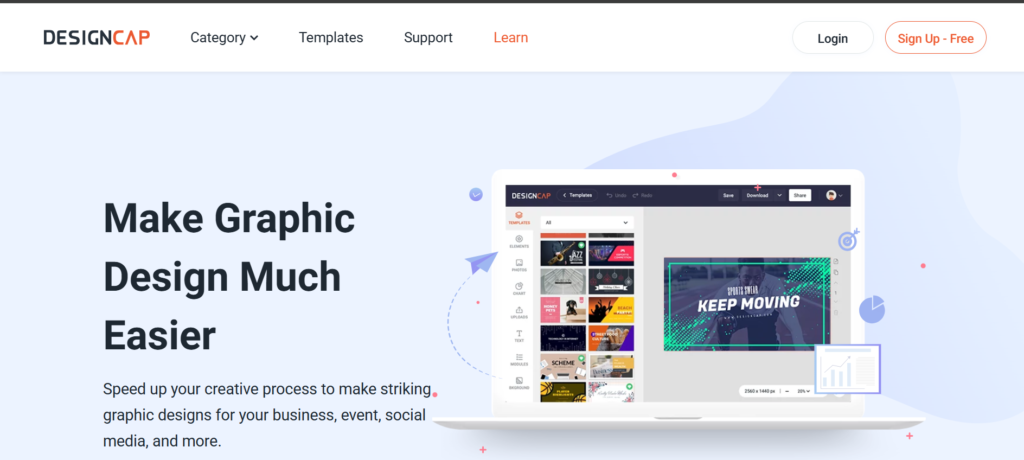
After selecting a template, users can customize it using the drag-and-drop editor. They can change the text, colors, icons, and images to match their brand style. This approach makes graphic design much easier for beginners who do not have professional design experience.
Another advantage of DesignCap is that it works entirely online. Users do not need to install software or download large files. They can simply open the platform in their browser and start designing immediately.
Key Features
DesignCap includes several useful features that make it a practical design tool for bloggers and marketers.
One of its most useful features is the large template library. The platform offers hundreds of templates that can be used to create infographics, social media posts, banners, and marketing materials. These templates help users create professional designs quickly.
Another important feature is the drag-and-drop editor. This editor allows users to easily move design elements around the canvas, resize images, and customize text. Because the editor is simple and intuitive, beginners can learn how to use it within minutes.
DesignCap also provides a collection of icons, shapes, and illustrations that can be added directly into designs. These design elements help users create more attractive visuals.
The platform also includes infographic design tools, which allow users to present information visually using charts, icons, and graphical layouts. Infographics are widely used in blogging and marketing because they make complex information easier to understand.
Using DesignCap for Blogging and Marketing
DesignCap is particularly useful for bloggers who need featured images for their articles. A well-designed featured image can make a blog post more attractive and improve click-through rates.
Digital marketers also use DesignCap to create promotional graphics and social media visuals. Platforms like Instagram, Facebook, and Pinterest rely heavily on visual content, so having an easy-to-use design tool helps marketers create posts quickly.
Another advantage of DesignCap is that it allows creators to design infographics easily. Infographics are powerful tools for explaining information in a visual format, and they are often used in blog posts and marketing campaigns.
Because the platform provides ready-made templates, users can create professional visuals within minutes instead of spending hours designing graphics from scratch.
 Pricing and Plans
DesignCap offers both free and premium plans depending on the user’s needs.
Free Plan
The free version is suitable for beginners who want to explore the platform.
Free Plan Features
- Access to basic templates
- Basic editing tools
- Limited icons and graphics
- Ability to create simple designs
Premium Plan
The premium plan unlocks additional design resources.
Premium Plan Features
- Access to premium templates
- Large icon and graphic library
- Advanced customization tools
- Higher resolution downloads
Start Designing with DesignCap
Pros and Cons
Pros
- Beginner-friendly interface
- Large template library
- Infographic creation tools
- Works directly in the browser
- Good for bloggers and marketers
Cons
- Some features require premium plan
- Limited advanced editing options compared to professional software
Final Verdict
DesignCap is a useful design tool for bloggers, marketers, and small businesses that need quick and simple graphic design solutions. Its template library, infographic tools, and easy editing interface make it accessible even for beginners.
Although professional designers may prefer more advanced design software, DesignCap provides enough features for most everyday design tasks. For creators who want to design attractive visuals quickly, it offers a convenient and efficient solution.
Try DesignCap Today